Nateq
  • Platform▾
  • Developers▾
  • Company▾
  • Pricing
Log inTry for free→
Nateq - AI Customer Service Platform

AI customer service for every channel, in one inbox.

hello@nateq.io+1 (771) 218 1820

Product

  • Ticketing
  • Knowledge Base
  • Workflow
  • Pricing
  • Book a Demo

Channels

  • Live Chat
  • Calls
  • Email
  • WhatsApp
  • Facebook
  • Instagram

Company

  • About Us
  • Careers
  • Blog
  • Contact Us

Resources

  • Integrations
  • Developer Hub
  • Help Center
  • WhatsApp Pricing

© 2026 NATEQ LLC. All rights reserved.

System statusPrivacy PolicyTerms of ServiceGDPRData Deletion
All posts
Guides

WhatsApp Business for Customer Support: The Complete Guide

Learn how to use WhatsApp Business for customer support — from setup and automation to managing every chat in one shared team inbox.

Ahmed Mohamed, Founder and Engineer

Jul 7, 2026/2 min read

WhatsApp Business for Customer Support: The Complete Guide

On this page

  • Why use WhatsApp for customer support?
  • WhatsApp Business app vs. WhatsApp Business Platform (API)
  • How to set up WhatsApp support
  • Best practices for WhatsApp customer service
  • Manage WhatsApp alongside every other channel
On this page
  • Why use WhatsApp for customer support?
  • WhatsApp Business app vs. WhatsApp Business Platform (API)
  • How to set up WhatsApp support
  • Best practices for WhatsApp customer service
  • Manage WhatsApp alongside every other channel

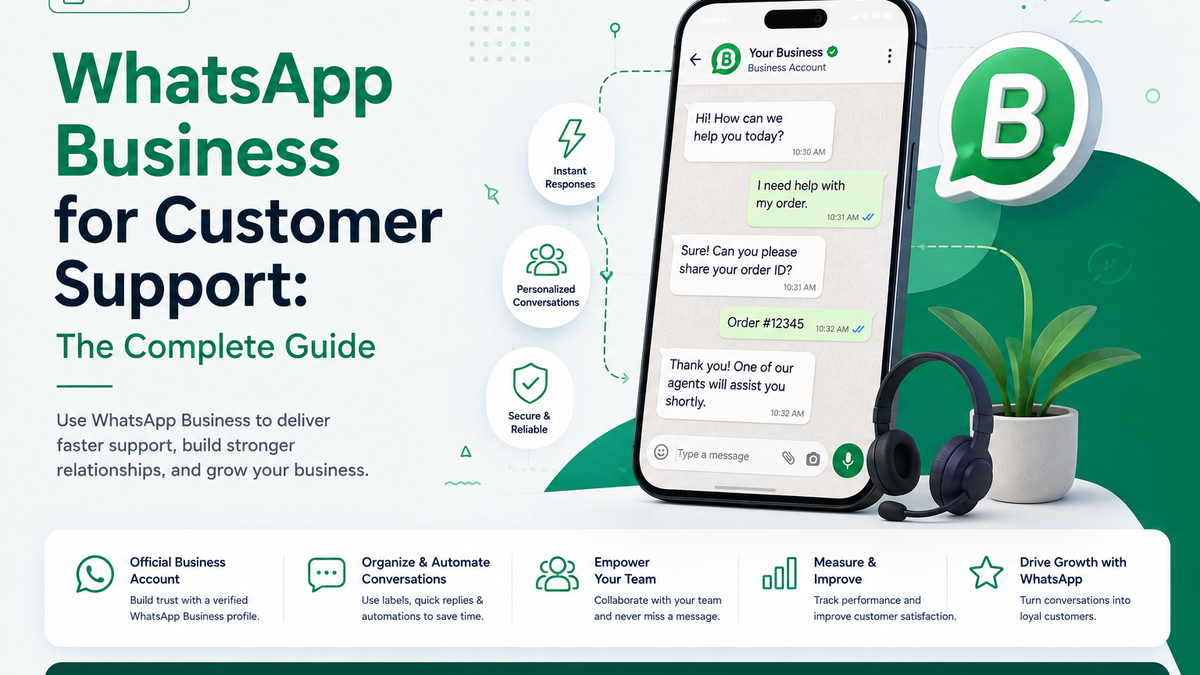
WhatsApp is where many of your customers already are every day, which makes WhatsApp Business one of the most effective channels for customer support. Done well, it delivers fast, personal service on a channel people actually check.

Why use WhatsApp for customer support?

WhatsApp combines high open rates, rich media, and a familiar chat experience. Customers can send a photo of a problem, get an instant answer, and continue the conversation on their own time — no waiting on hold or refreshing an inbox.

WhatsApp Business app vs. WhatsApp Business Platform (API)

The free WhatsApp Business app suits very small teams on a single device. Once several agents need to answer together — with routing, automation, and history — you need the WhatsApp Business Platform (API) connected to a support tool.

  • Business app: one number, one device, basic automations. Good to start.
  • Business Platform (API): multiple agents, a shared inbox, automated flows, and integrations.

How to set up WhatsApp support

  • Connect a WhatsApp Business number to your support platform.
  • Set up greetings, FAQs, and routing so common requests are handled automatically.
  • Give your team a shared inbox with clear assignment and full contact history.
  • Add AI replies that answer from your knowledge base and escalate when needed.

Best practices for WhatsApp customer service

  • Reply fast — WhatsApp sets an expectation of near-real-time responses.
  • Automate the routine, but make human handoff effortless.
  • Keep full context so customers never repeat themselves.
  • Respect opt-in and messaging policies to protect your number’s quality rating.

Manage WhatsApp alongside every other channel

WhatsApp works best when it isn’t a silo. Nateq connects WhatsApp Business to the same unified inbox as your chat, email, calls, and social — with AI replies and automated flows. Learn more about omnichannel customer support, see the WhatsApp pricing guide, or book a demo to get started.

Share

About the author

Ahmed Mohamed

Founder and Engineer

Ahmed Mohamed is the founder of Nateq, an AI customer service platform built around Arabic dialect support. He works on the voice and messaging infrastructure behind it, and writes about WhatsApp Business API, AI support agents, and building for Arabic-speaking customers.

Keep reading

  • How to Get WhatsApp Business API in Egypt
    Guides

    How to Get WhatsApp Business API in Egypt: A Step-by-Step Guide

    What Egyptian businesses actually need to get WhatsApp Business API approved: documents, phone number rules, and the rejections that catch most people.

    Aug 22, 2026/5 min read
  • WhatsApp Business API Pricing in 2026: What You Actually Pay
    Guides

    WhatsApp Business API Pricing in 2026: What You Actually Pay

    WhatsApp API billing moved to per-message, and service replies become chargeable on 1 October 2026. What you actually pay, and what's still free.

    Aug 22, 2026/7 min read
  • Arabic Customer Support: Best Practices for Modern Teams
    Guides

    Arabic Customer Support: Best Practices for Modern Teams

    Serving customers in Arabic well means more than translation. Learn the best practices for fast, natural, right-to-left Arabic customer support.

    Jun 25, 2026/2 min read

Stop reading about better support. Run it.

Every channel in one inbox, answered in your customer's own language — free during early access.

Book a demoSee pricing