Guides
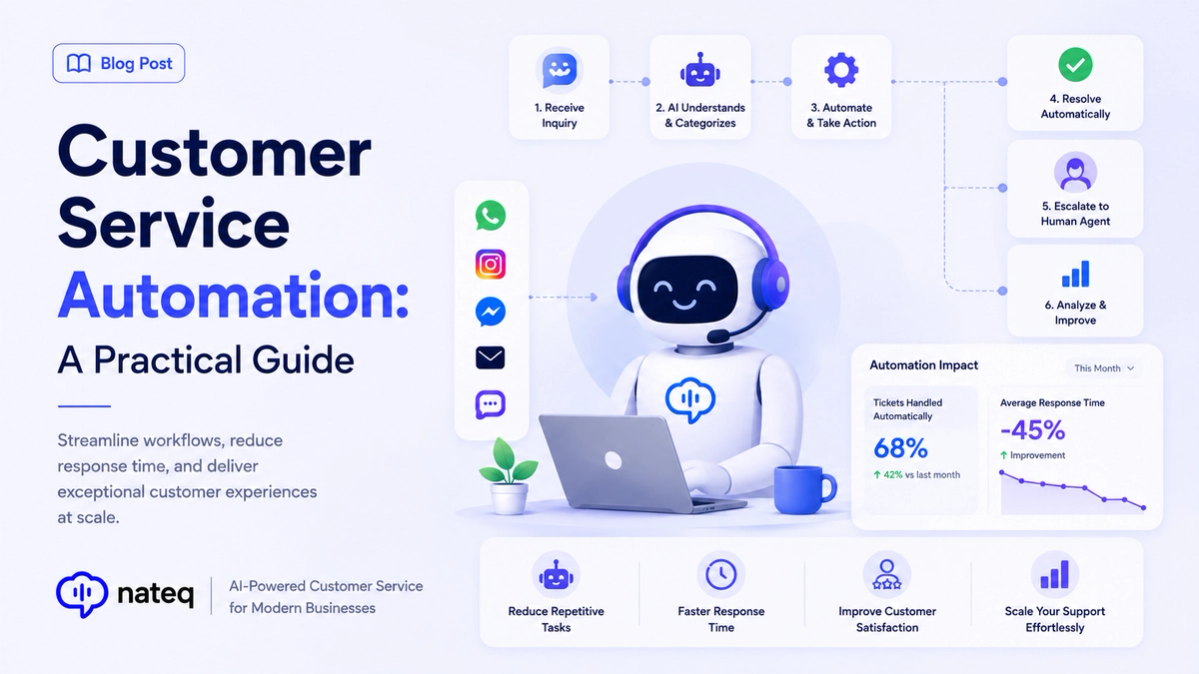
Customer Service Automation: A Practical Guide
Customer service automation handles repetitive work so agents focus on people. Learn what to automate, what to keep human, and how to start.
2 min readProcedures are written as plain prose. The AI agent follows them in the order the conversation needs, and four gates enforced in code refuse any reply or action that breaks a rule. Saved test cases must pass before a version goes live, and an earlier version can always be restored.
Nateq's process automation uses procedures: written steps for a process such as a refund, onboarding or an escalation, which the AI agent follows in whatever order the conversation requires. Four gates checked in code test each reply and tool call before it reaches a customer, saved test cases must pass before a version is published, and flows handle the fixed steps such as business hours and identity checks.
Last updated:
Write the steps in plain prose. The agent follows them in the order the conversation needs, not the order you typed them.
Identity, refund limits, leaked keys and card-like numbers, and message budgets are checked in code before a reply or an action goes out.
Hand a conversation to a person when a process needs one, and set response targets that raise priority or reassign a missed conversation.
Begin from twelve ready-made flows for common businesses, and turn the parts that need judgement into procedures.
Each published version is frozen, conversations in progress keep the version they started with, and an earlier version is one click away.
Saved cases run against a draft, and one broken case is enough to block the publish.
A procedure has two parts. When it applies describes the situation in the customer's own words, dialect included, because the router matches incoming messages against that text alone. The procedure itself is the body: plain prose, written the way you would brief a new teammate. It might say to check that an order exists before anything else, to offer store credit once a return window has closed, and never to promise a refund date.
A flow is a canvas of fixed steps, and the two are used together. The flow handles deterministic work: business hours, identity branches, delays and assignments. The procedure handles judgement, such as deciding what to ask first when a customer answers out of order. If you already have a flow, Nateq can convert it into a procedure draft. The draft lists open questions and the steps the conversion judged must not be skipped.
Every procedure run passes four gates, and they are code, not instructions in a prompt. The identity gate refuses a tool call that reads or changes one customer's account unless the customer has proven who they are. On WhatsApp the platform verifies the number. On a channel where anyone can pick the display name, such as an Instagram handle, the agent cannot run account actions until identity has been verified in the conversation.
The policy-limits gate reads the amount in a refund or discount call and compares it with the ceiling set in the agent's runtime settings. A workspace with no ceiling has no authority to refund at all, which is deliberate. The PII gate refuses a reply that contains an API key, an access token, a signed token or a number that looks like a card number. The message-budget gate stops a conversation that has used its cap and hands it to a person, so the customer is not left with a silent agent.
Save a case for each situation that matters: a few customer messages and the outcome you expect. Check against saved cases runs the draft through every case. The report shows what happened, which cases differ from what you expected, which gates fired, and how many messages the customer would receive once replies are rendered for the channel.
A single gate violation in any saved case blocks publishing. Nothing is published, and the version the agent is using stays as it was. The report names the case that broke a rule, so you fix the text instead of guessing at it.
Published versions are frozen, because a conversation already in progress keeps the version it started with. To undo a change, choose Go back to this on an earlier version. Rollback takes effect immediately and is not checked again, because every version already passed its cases when it was published.
A write action, such as issuing a refund or changing account details through your own system, carries an approval mode. Run automatically performs the action as soon as the procedure calls for it. Ask the customer to confirm shows a confirmation the customer must accept, within a timeout you set. Ask a human agent to approve waits in the inbox until someone approves it.
An Escalate step hands the conversation to a person and ends the automated run. Time-based escalation is configured separately, on SLA policies in Settings. A policy sets first-response and next-response targets, a warning before a target is missed, and what happens on a breach: notify the assignees, raise the priority, or reassign a conversation whose owner missed the target.
No. Nateq ships twelve starter flows for common businesses, including Order Support Bot, Returns and Refunds Bot, Billing FAQ Bot, Bug Report Bot, Human Handover Bot and Hotel Check-In Assistant. They are flows, so you can edit them directly. Where a step needs judgement rather than a fixed path, convert the flow into a procedure and review the draft before you publish it.
Start with a clear sentence for when the procedure applies. Then write one step per line, in the order a good agent would take them. Add a saved case for the awkward path, such as a customer who asks for a refund before giving an order number, and run the check.
The procedure asks for the order number and confirms the order exists. A refund goes ahead only when it is within the ceiling your workspace set. Anything above the ceiling is handed to a person.
The agent reorders the procedure to follow the conversation. It keeps the details the customer already gave and asks only for what is still missing.
Changing an address or a phone number runs through a write action set to ask the customer to confirm. The change happens only if the customer confirms before the timeout.
The procedure escalates to a human agent. If no one picks the conversation up within the response target, the SLA policy raises its priority.
A comparison with a written playbook kept in a shared document or spreadsheet, which is the usual setup. It compares capability, not any one product.
| Capability | Nateq | Shared document or spreadsheet |
|---|---|---|
| Enforcement | Four gates check each reply and tool call before it is sent | Agents remember the rules or check the document |
| Refund limits | A refund call above the workspace ceiling is refused | The limit is a sentence the agent must read and apply |
| Testing | Saved cases run before publishing, and one broken case blocks it | Read the document and hope it holds |
| Approvals | Write actions can wait for a customer's confirmation or a human approval | Approvals happen in a separate chat thread, if at all |
Write when the procedure applies in the customer's own words, in the languages they write in.
Set out the steps in order, then save cases for the awkward paths and run the check.
A clean check publishes the version. Review the escalations it produces, and roll back if a version behaves badly.
Processes that need judgement within fixed limits: refunds up to a ceiling, onboarding, account changes, disputes and handoffs to a team. Write each one as a procedure with a clear when-it-applies sentence, then test it with saved cases. Fixed sequences, such as a business-hours branch, belong in a flow.
Yes. Each write action has an approval mode. A customer can be asked to confirm an action before it runs, or a human agent can be asked to approve it in the inbox. The workspace sets one default, and each action can override it. An action set to run automatically has no approval step.
An Escalate step hands the conversation to a person and ends the automated run. Separately, SLA policies set first-response and next-response targets. When a target is missed, the policy can notify the assignees, raise the priority, or reassign a conversation whose owner missed the target.
Yes. The policy-limits gate reads the amount in a refund call and refuses it when it is above the ceiling in your agent's runtime settings. If no ceiling is set, the agent has no authority to refund. The check runs on the amount in the call, not on the wording of the reply, and a refused call is recorded against the run.
Every version is checked against your saved cases before it can be published, and a case that breaks a rule blocks the publish. Published versions are frozen, so a conversation already in progress keeps the version it started with and is not switched partway through.
No. Nateq ships starter flows for common businesses, including order support, returns and refunds, billing questions and bug reports. You can convert any flow into a procedure draft, then review what the conversion left open before you publish it. Starter flows are a starting point, so review every step before you publish.
It escalates. An Escalate step hands the conversation to a person and ends the automated run. A message budget does the same when a conversation has used its cap, so a customer is not left waiting on an agent that has stopped replying.
Customer service automation handles repetitive work so agents focus on people. Learn what to automate, what to keep human, and how to start.
2 min read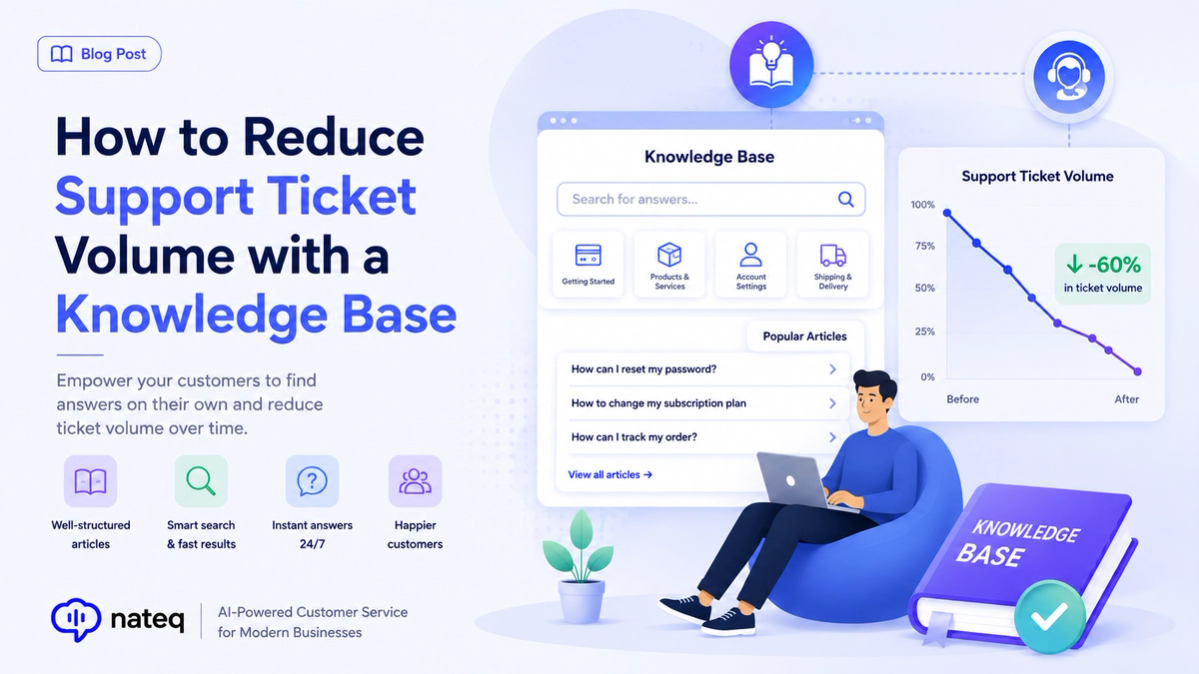
A great knowledge base deflects repetitive tickets and helps customers help themselves. Here’s how to build one that actually lowers ticket volume.
2 min readBring every conversation into one intelligent platform. Try it free for 14 days — no card required.