Demo workspace, live
Nateq: the AI customer service platform built for Arabic
Nateq runs customer operations across chat, voice, email and social. Six channels into one queue, with routing, telephony, ticketing and workflow behind it.
- 03:11WhatsAppOrder status asked in Gulf Arabic, answered with a live tracking link0.8s
- 03:08VoiceInbound call handled end to end, no agent involved2m 14s
- 03:05RoutingRefund over AED 500 escalated to the Tier 2 queue0.2s
- 03:02WorkflowShipping delay detected, 41 customers notified before they asked1.1s
- 02:59InstagramDM converted to ticket #48210, tagged billing0.6s
- 02:56KnowledgeAnswer gap logged, draft article queued for review0.4s
- 02:53EmailInvoice request resolved from a CRM lookup1.9s
- 02:50VoiceWarm transfer to a human with the transcript already open0.9s
- 02:47Live chatCode-switched English and Arabic thread resolved1.3s
One queue
A call last week, a WhatsApp last night, an email this morning. One thread, one person.
- 6
- Channels in one queue
- 17
- Languages it answers in
- 4
- Arabic dialects supported
- 1
- Record per customer
A day on the platform
Advancing on its own. Pick an hour to stop it.
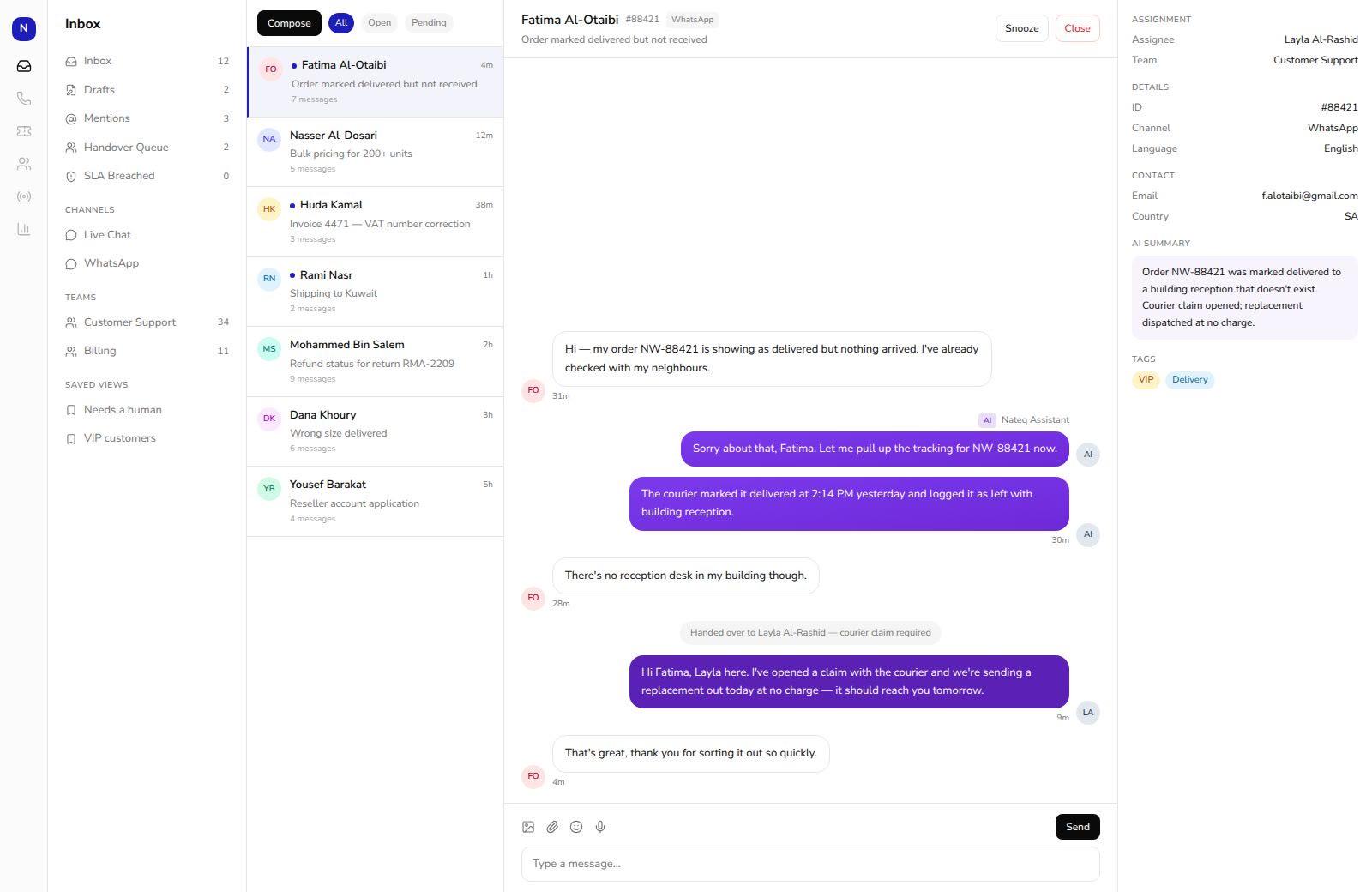
A question arrives in Gulf Arabic at two in the morning.
The dialect is detected, the order is looked up over your own API, and the answer goes back in the same dialect with a tracking link attached.
- 01Classified as an order-status question, confidence 0.96
- 02Order pulled from the commerce API without an agent
- 03Thread tagged and closed, visible in the morning report
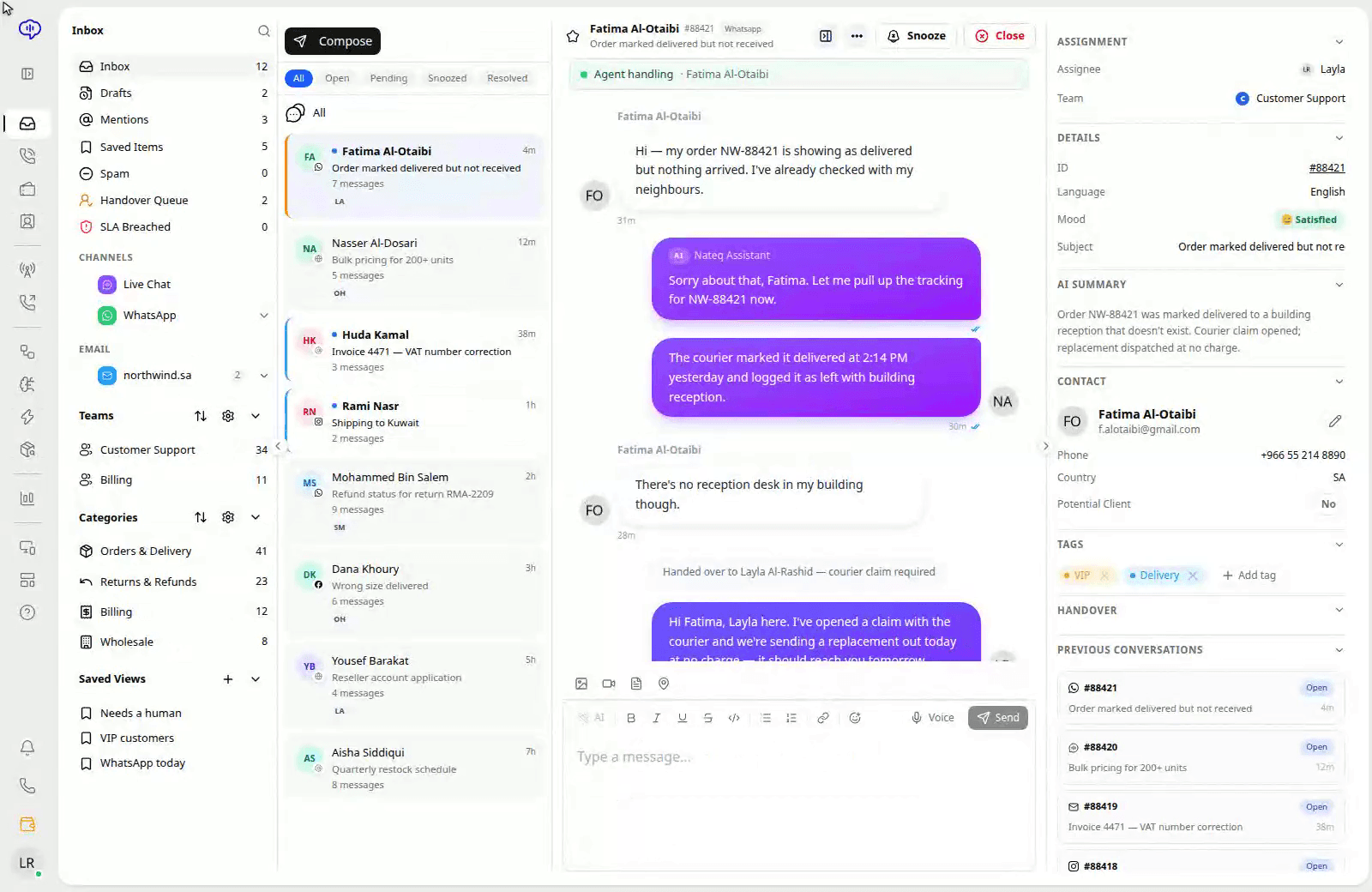
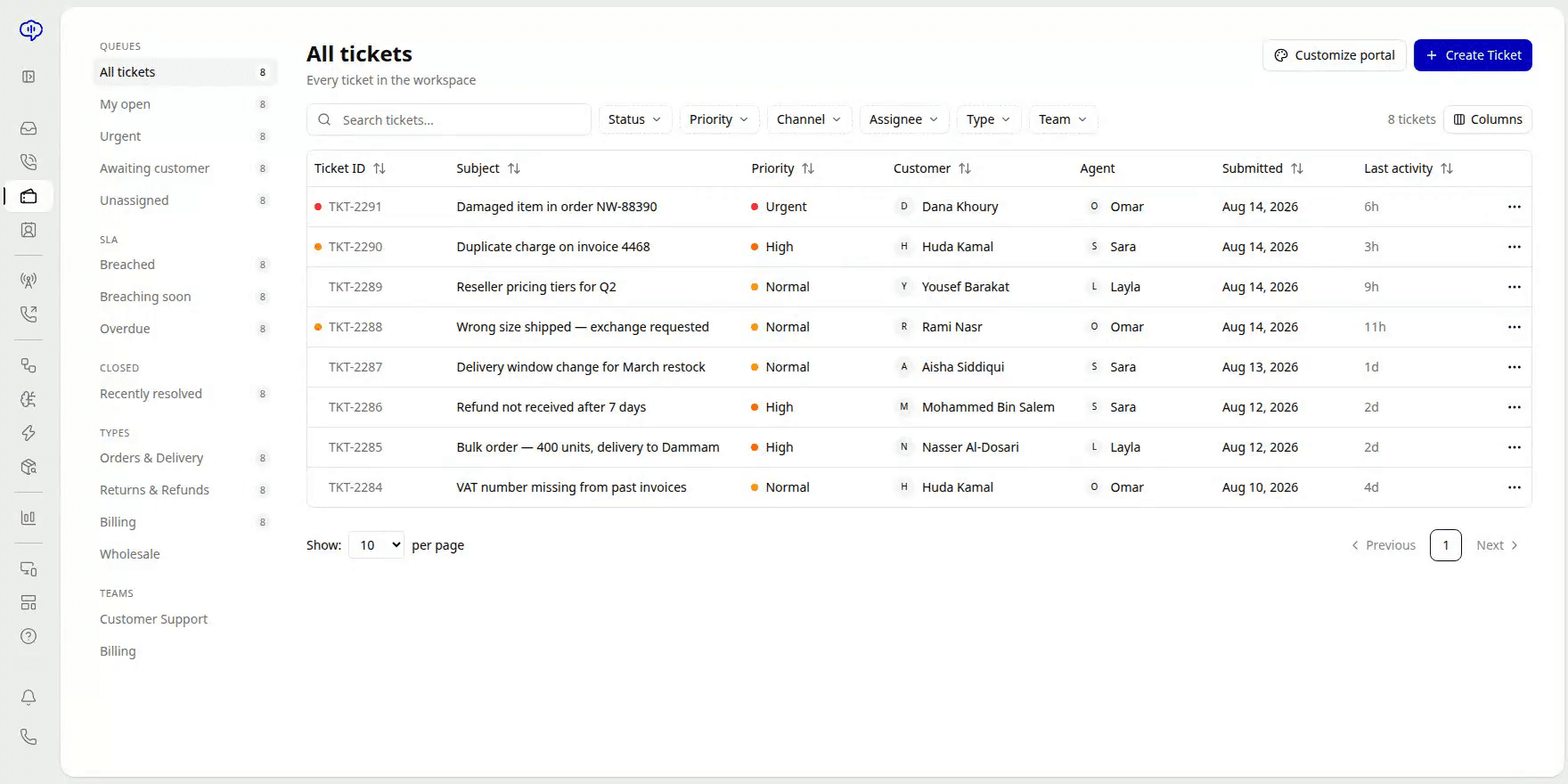
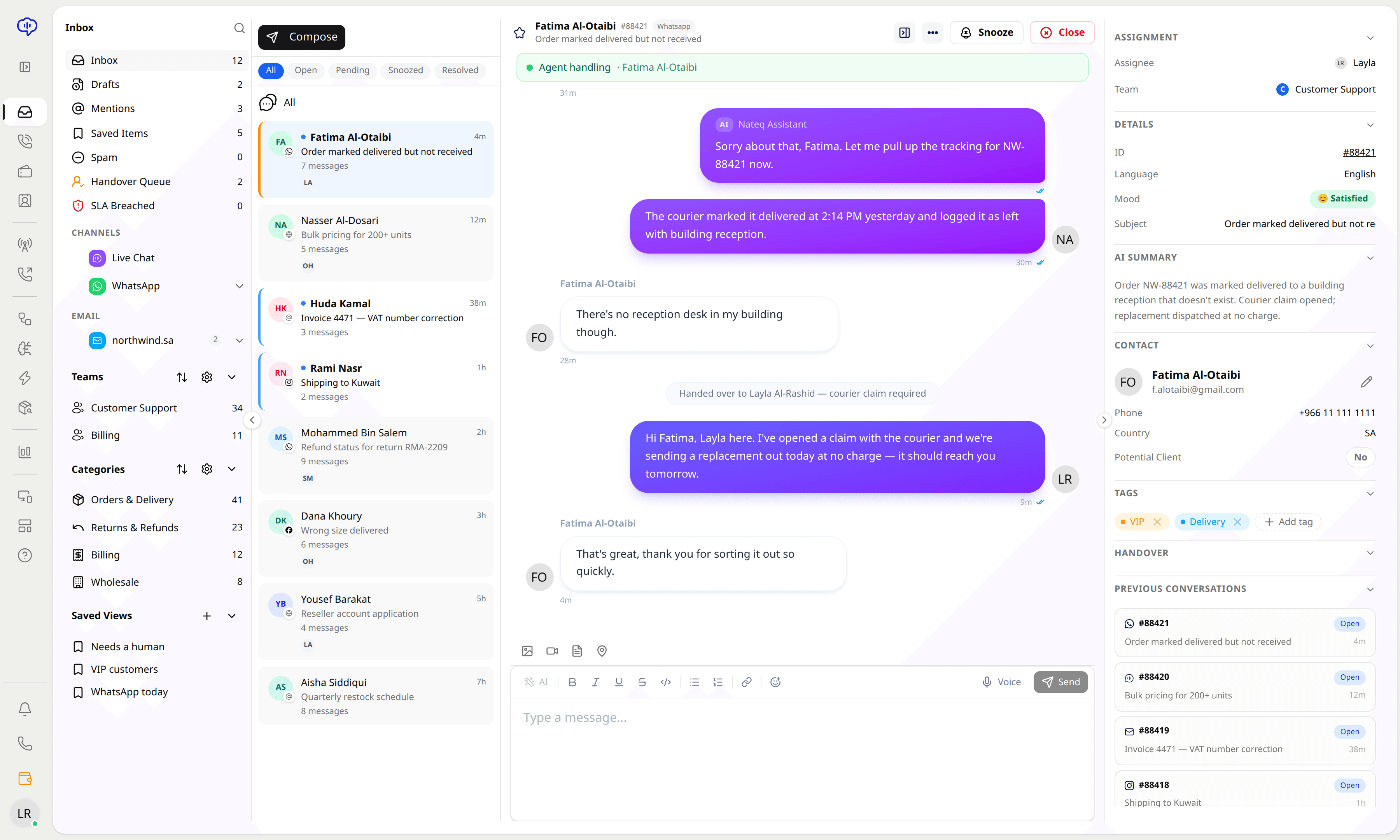
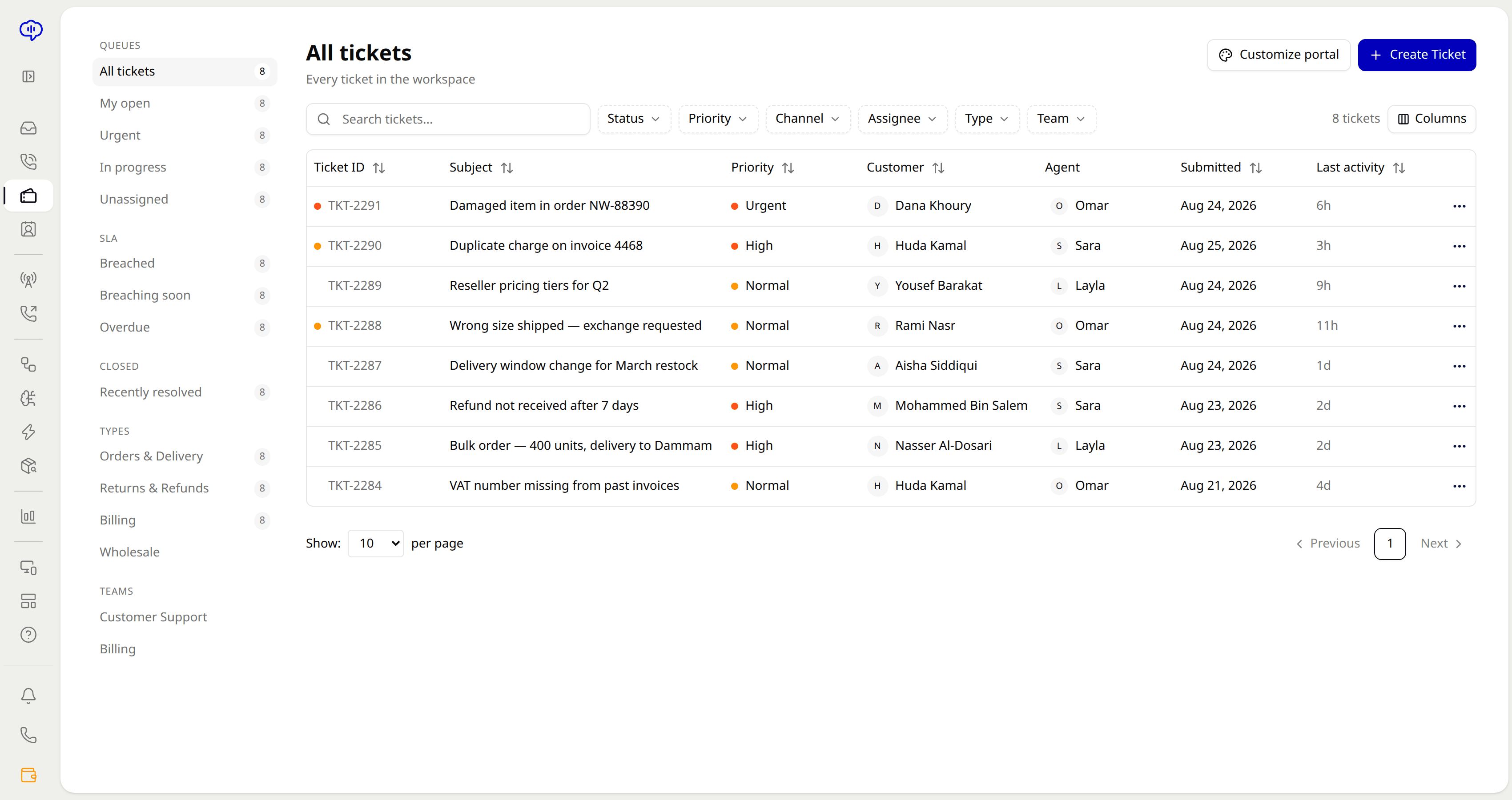
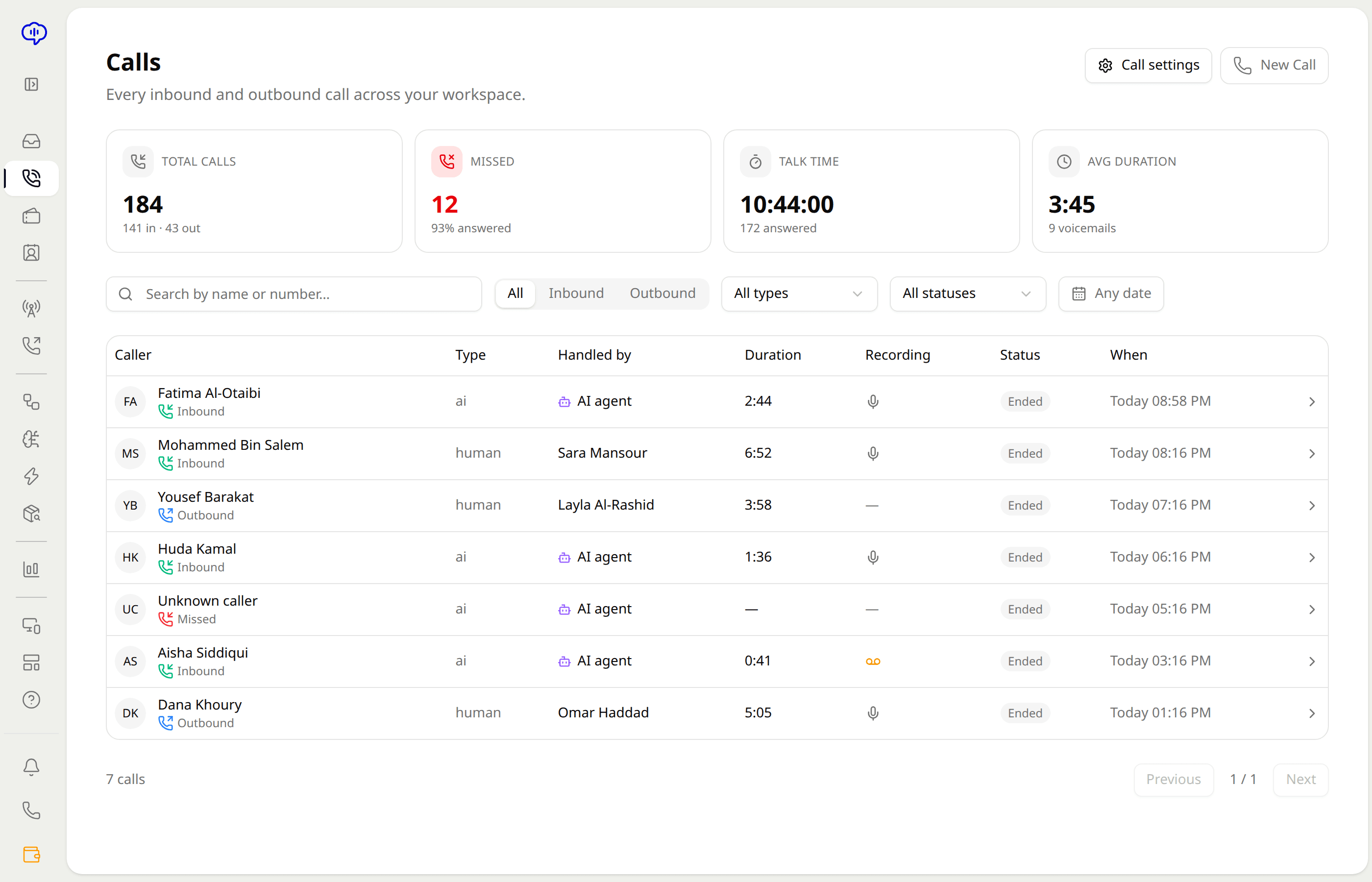
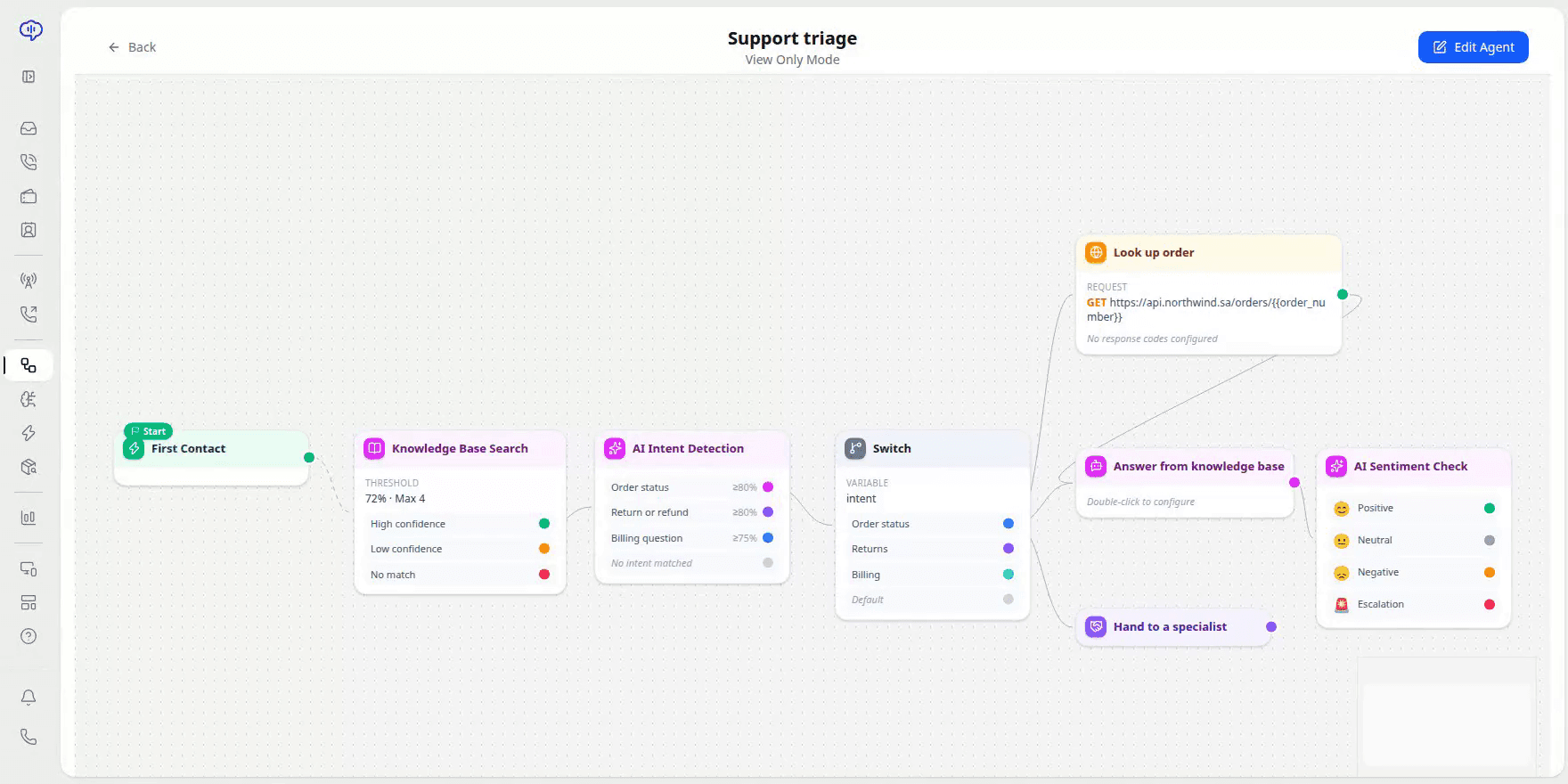
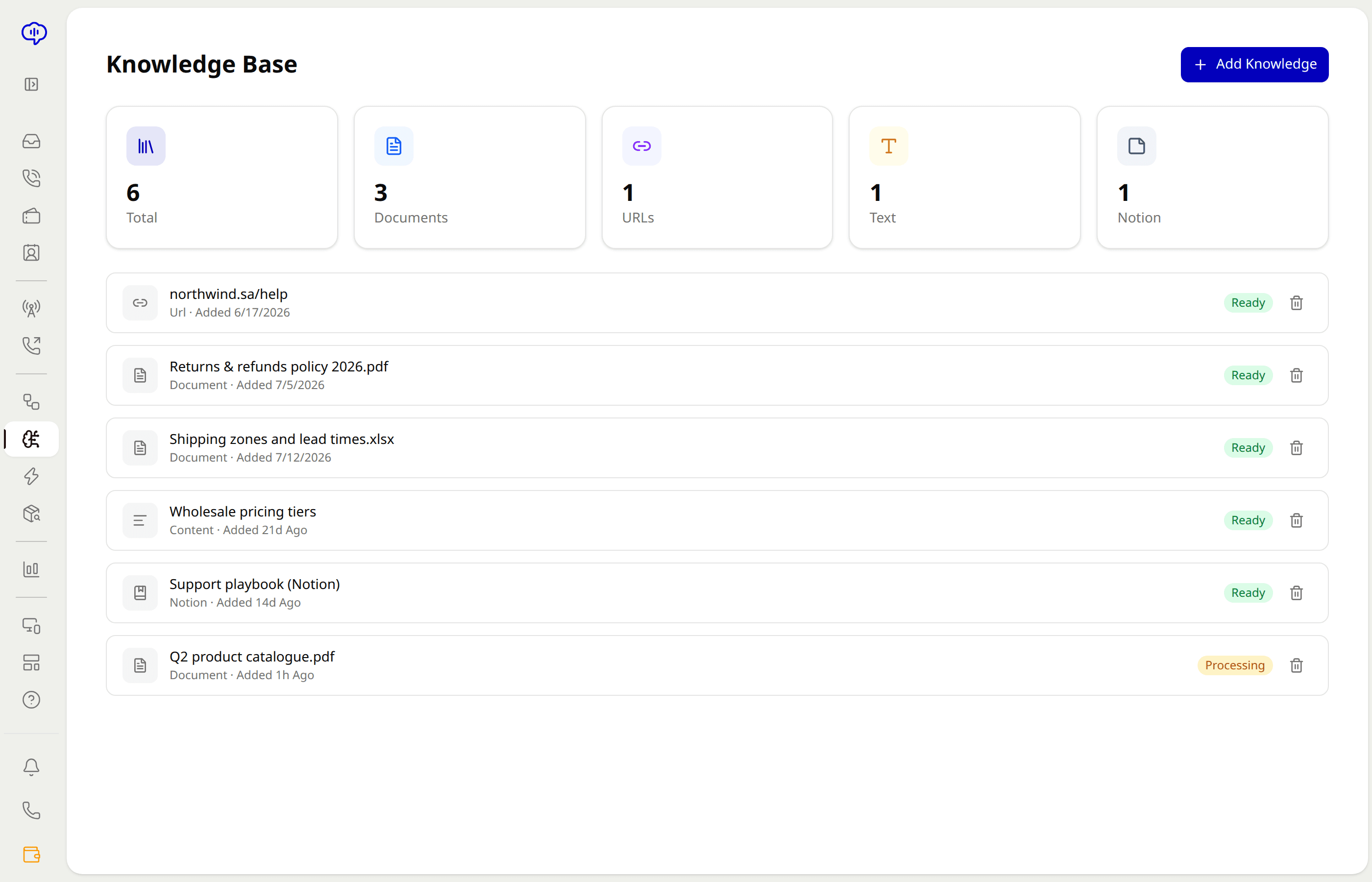
Inbox — WhatsApp thread
Architecture
Intake, understanding, decision and action are four separate layers over one data model. The AI occupies the second. Turn it down to zero and routing, ticketing and telephony keep running. That is the part worth testing first.
Intake
- Live chat widget
- WhatsApp Business
- Voice and SIP numbers
- Email and forms
- Instagram, Facebook
- REST API, webhooks
UnderstandActive
- Language and dialect
- Intent and sentiment
- Knowledge retrieval
- Customer and order lookup
- Confidence scoring
- Handoff thresholds
Decide
- Skill and priority routing
- SLA policies
- Workflow rules
- Queue and concurrency caps
- Approval gates
- Escalation paths
Act
- Reply in channel
- Create or update ticket
- Call your API
- Refund, reship, reschedule
- Write back to CRM
- Log, tag, report
All four layers running. Questions are understood, scored for confidence, and either answered or escalated against the thresholds you set.
- One record per customer
- A call at noon and a WhatsApp at midnight are one thread on one person, not two tickets in two tools.
- Deterministic where it counts
- Refunds, personal data and anything past a threshold you set go to a human. The model never decides alone.
- Open at every layer
- Documented REST API, a webhook on every event, and exports that leave nothing behind if you go.
What it replaces
A ten-seat operation typically runs five contracts, three logins per agent, and a spreadsheet to reconcile them. Same money, fewer seams, and one place the history actually lives.
List prices for ten seats, mid-2026. Compare with ours
- Helpdesk and ticketing suiteTen seats$490
- Live chat widgetTen seats$290
- Call centre and IVR contractPer minute$260
- Knowledge base toolFlat rate$96
- Standalone AI chatbotPer resolution$100
Integrations
Native connectors where the data has to move both ways, a documented REST API and signed webhooks for everything else.
- Two-way sync, not a copy
- A ticket closed in Nateq closes in your CRM, and a customer record updated there shows up on the next message here.
- Call anything mid-conversation
- If we do not have a connector, a workflow action can hit your endpoint directly with auth, timeouts and a retry policy.
- Nothing is a black box
- Every sync writes an audit entry you can read, replay or export. Failures surface in the app rather than in a silent queue.
Who has to sign off
Same headcount, three times the volume.
You are measured on response time, CSAT and cost per ticket. This moves all three without a hiring round or a migration project.
See the operations metrics- Cover the hours you cannot staff
- Nights, weekends and public holidays without a rota or an offshore contract.
- Triage stops being a job
- Tagging, priority and assignment happen on arrival rather than in someone's morning.
- Coach from real threads
- Every conversation searchable, with transcripts, tags and outcomes attached.
- Prove the number
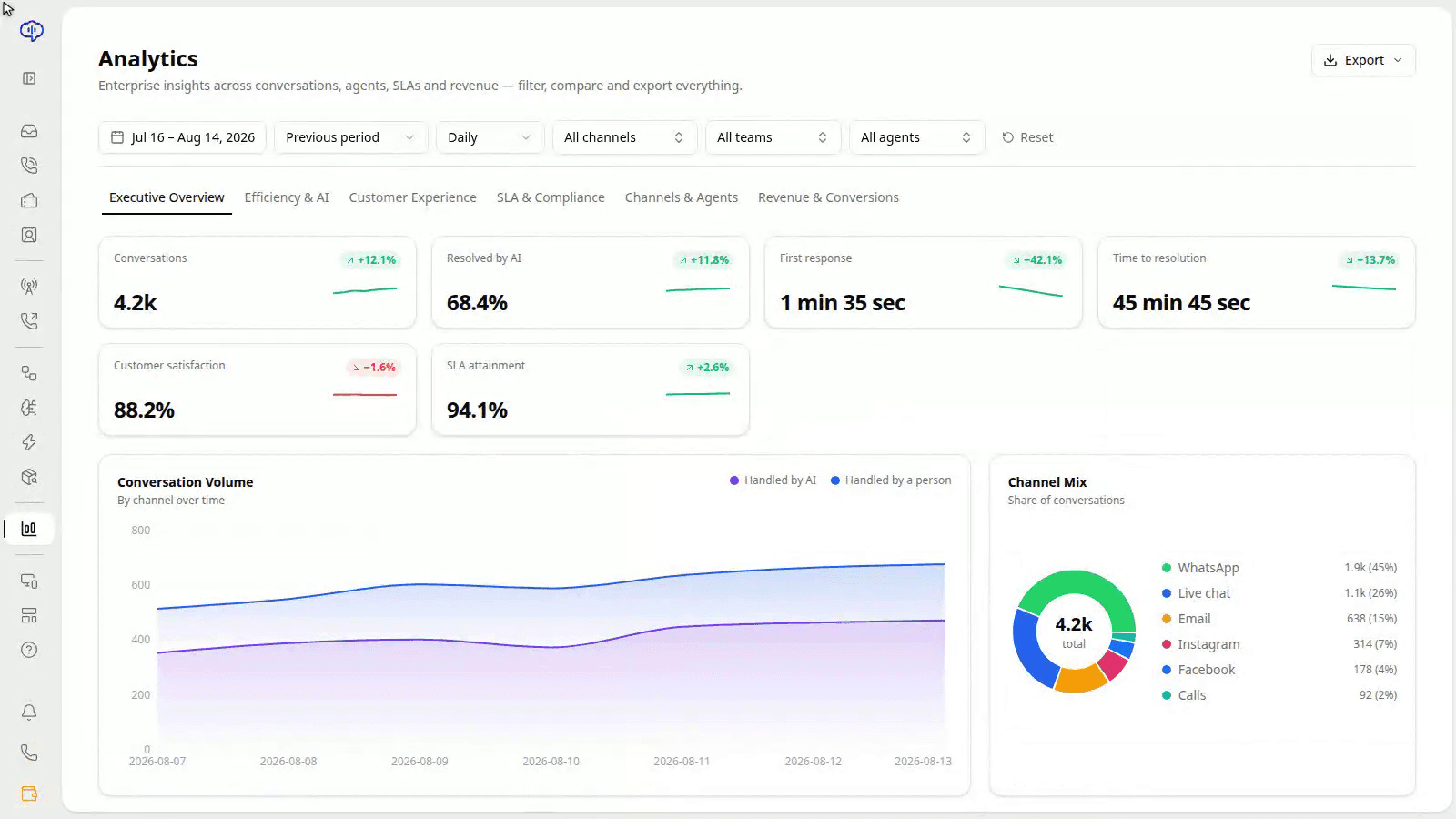
- Cost per resolved conversation by channel and intent, exportable on a schedule.
How to evaluate it
We would rather you test it than read a case study. Everything below is in the 14-day trial, without talking to anyone.
- 01
Give it your hardest ten tickets
Paste real threads, including the ones in dialect or with a mistake in them, and read what comes back before you connect a channel.
- 02
Turn the AI off
Run the inbox, routing and ticketing on their own for a day. If the platform underneath is not worth having, the AI on top will not save it.
- 03
Check what it refuses to do
Ask it for a refund past your threshold and watch it escalate instead of improvise. Confidence and handoff rules are visible on every message.
- 04
Read the log, not the dashboard
Every action is recorded with actor, payload and outcome. Export it and judge the week on your own numbers.
Hand it tonight'snight shift.
Connect one channel, point it at the help content you already have, and read the log in the morning. If it did not earn the seat, close the workspace.
14 days, no card. Setup takes about 25 minutes.
Referral pilot
Know businesses that need Nateq?
Refer them with your own link or promo code and earn a share of what they pay in their first year. Invite-only for now.