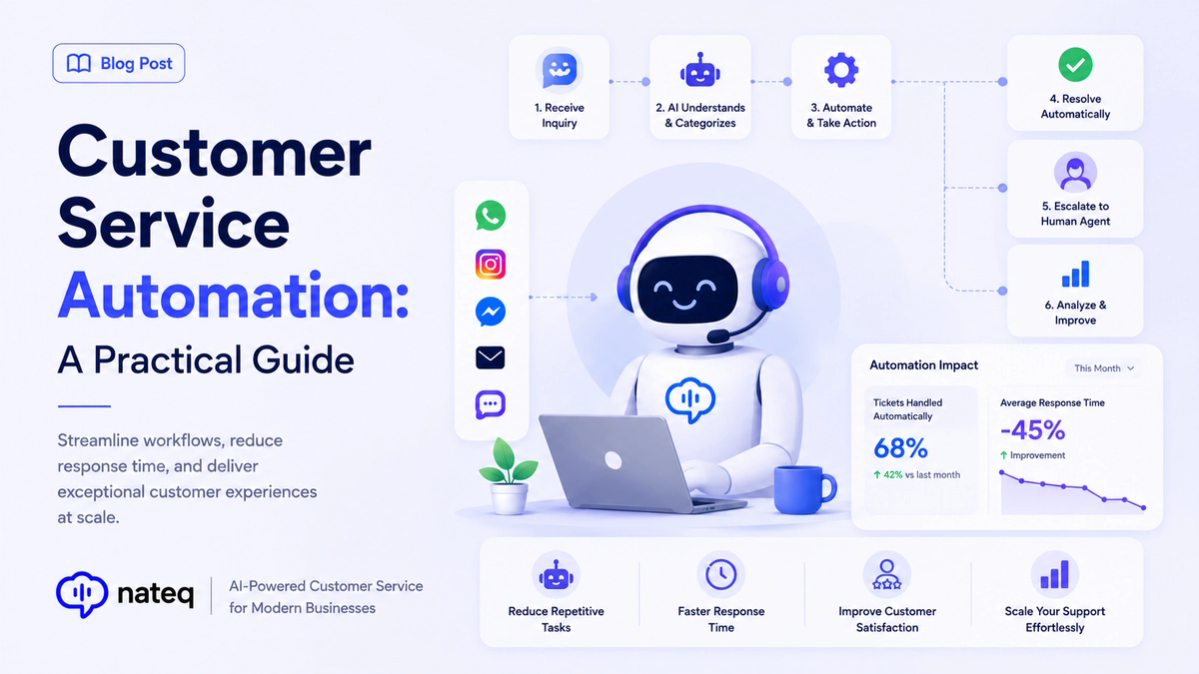
Customer service automation uses rules and AI to handle repetitive support work — routing, tagging, replies, and follow-ups — so your team spends its time on the conversations that need a human. The best automation is invisible to customers and quietly saves your team hours every week.
What is customer service automation?
It’s any workflow where software does support work automatically: auto-creating tickets from messages, assigning them to the right agent, sending canned replies, escalating on SLA risk, or triggering actions in other tools. Automation doesn’t replace judgment — it removes busywork around it.
What to automate
- Ticket creation and tagging from every channel.
- Routing and assignment by topic, language, availability, or workload.
- Instant answers to common questions from your knowledge base.
- SLA alerts and escalation so nothing is missed.
- Follow-ups, reminders, and handoffs to other tools like your CRM.
What to keep human
Automate the routine, but keep people in charge of empathy, judgment, and sensitive cases like complaints, refunds, and edge cases. A good system makes human handoff effortless and hands over full context.
How to get started with automation
- Map your most repetitive tasks and highest-volume ticket types.
- Start with a few high-impact rules rather than automating everything at once.
- Use a no-code builder so your team can adjust rules without engineering.
- Measure results and refine — automation should improve continuously.
Automate support the smart way with Nateq
Nateq combines no-code workflow automation, AI replies, and ticketing in one platform — with a human always in the loop. Learn how to reduce tickets with a knowledge base, or book a demo to see what you could automate.